01
PC + Play-Cricket Scorer
Use OBS and the OwzThat Bridge for multiple cameras, including high-quality cameras via USB or HDMI-to-USB encoders, plus external audio. We configure the OBS settings for an easy setup.
How it works →Stream your cricket to YouTube with a PC or Android phone and Play-Cricket Scorer. Two simple options. One easy-to-use web portal.
New to OwzThat? Read the setup guide
Simple by design
Choose flexible PC coverage or a simple Android setup. Both use Play-Cricket Scorer for ball-by-ball updates and live score overlays, with all settings kept in your web portal.
Use OBS and the OwzThat Bridge for multiple cameras, including high-quality cameras via USB or HDMI-to-USB encoders, plus external audio. We configure the OBS settings for an easy setup.
How it works →A simple way to stream from your Android phone, with the option to connect an external camera. Pair with Play-Cricket Scorer for live scores and you’re ready to go.
How it works →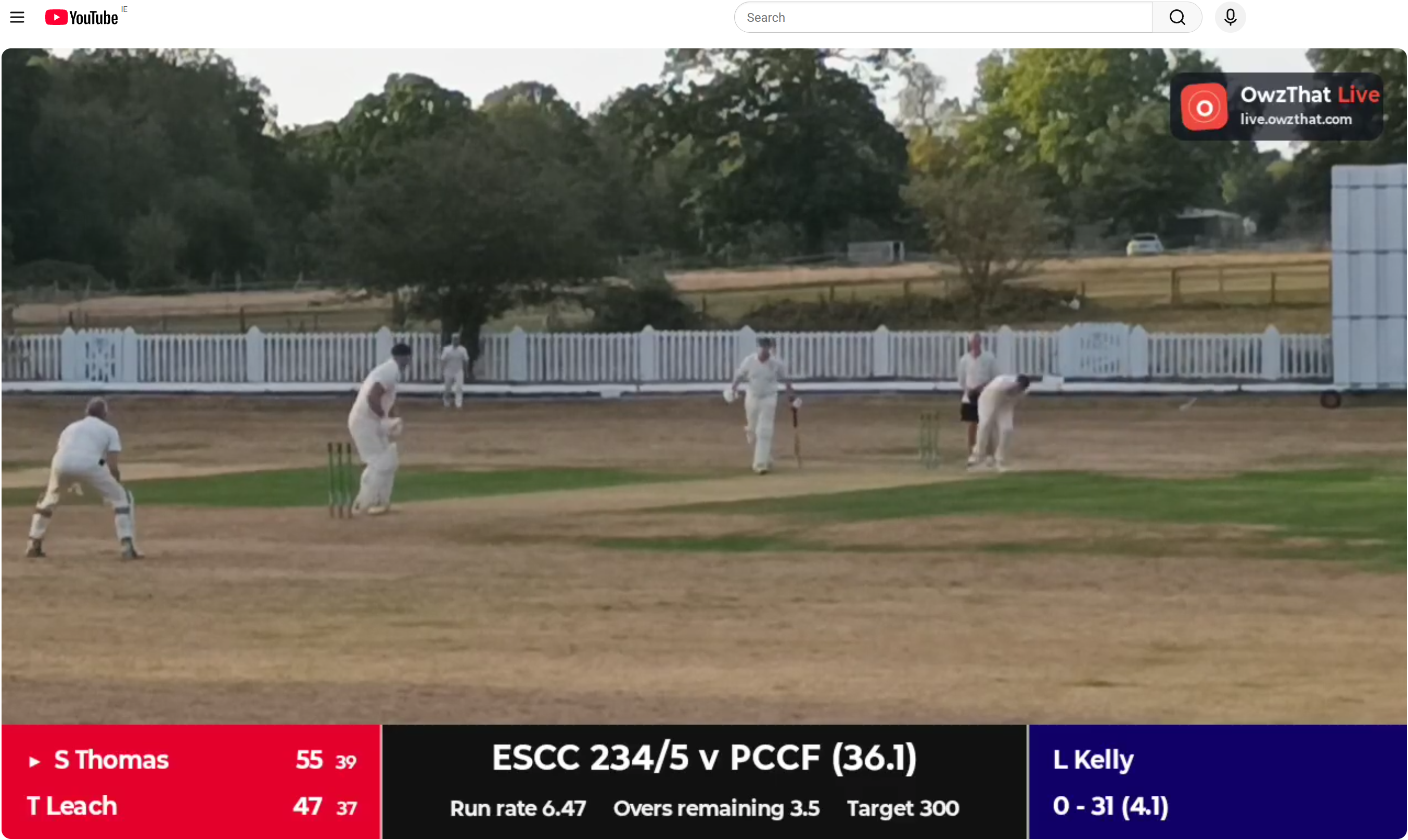
One simple web portal
Manage all your settings, fixtures and broadcasts in our easy-to-use web portal. Set up your club once and keep match day straightforward.
Ready for the next innings?
Set up your club once, then give your match-day team a repeatable way to broadcast every fixture.